⚠ Desculpe pela bagunça aqui, eu estou atualizando meu tema então algumas coisas ficarão fora do lugar por um tempo, mas logo logo voltarão ao normal.

⚠ Sorry for the mess in here, I'm currently updating my theme so some things will be out of place for a while, but soon it will be back to normal.

Mostrando postagens com marcador tumblr tips. Mostrar todas as postagens
domingo, 21 de abril de 2019

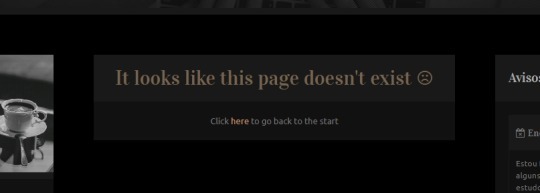
How to customize "404 Page Not Found" error pages (Tumblr)

How to customize "404 Page Not Found" error pages (Tumblr)

(Last updated in 21/04/2019) - (Versão em Português deste tutorial aqui!)

I've been searching for a way to customize "Not found" pages on themes for Tumblr for a while. I found a few tutorials about it, but none of them would work in every blog, they would only work for blogs of a certain language (since the code would select the page basing on the error phrase that it shows, and this phrase changes according to the language of the blog, making it impossible for the script to find it in blogs that are set in other languages).

Until one day, as I was studying JQuery (thanks to W3Schools), I found a method that could work for any blog on Tumblr, since it selects the page based on its status (whether it's an error page or not). I tried it and it worked! 🙌 So, to anyone interested, here is my tutorial on how to customize "not found" pages on Tumblr using Ajax.

segunda-feira, 15 de abril de 2019

How to select which posts to show in your fisrt page (Tumblr)

How to select which posts to show in your fisrt page (Tumblr)

(Last updated in 15/04/2019) - (Versão em Português deste tutorial aqui!)

If, like me, you like your blog to look organized, but at the same time like to reblog a little bit of everything and it ends up messing with the appearance of your blog, you must have already thought "how good it would be if I could hide posts that I reblogged because I liked, but that don't match the aesthetic of my theme very well"... Another similar situation would be if you'd like to hide reblogged posts and show only your original posts in the first page.

Well, that would be possible to do using two different logics based in the use of tags. Let's say that you tagged some of your posts with "#photo", you could make your theme:

  • Method 1) Show only the posts that contain the tag "#photo";
  • Method 2) Or, show all posts, except fot the ones that contain the tag "#photo".

I've tried a couple times to use the method 2, but, unfortunately, I still can't make a script that execute this function without messing up with the entire theme. So, for now, the only available option that I know is the method 1, and that's the one I'll be teaching you to use in this post.

How does it work?

You'll install a script in your theme that will make the first page of your blog redirect to a tag page of your choice (if you don't know how to use/access tags, read these articles); this way, when anybody open your blog, the first posts they will see will be the ones tagged with this specific tag.

sexta-feira, 29 de março de 2019

How to solve/avoid errors in themes on Tumblr

How to solve/avoid errors in themes on Tumblr

(Latest updated in 04/03/2022) - (Versão em Português deste post aqui!)

Not every problem that happen to a theme is a defect that already came with it. There are many things you can do while installing or customizing a theme that can corrupt its code and cause issues.

In this post I listed the most common problems that happen with themes and showed how to solve them as well as how to avoid other problems.

Read the following table with the most common issues and if one of them sounds similar to what's happening to you, then click on all of the causes in front of it. If this post don't help you, then contact me via Ask on Tumblr and explain to me in detail what is going on with your theme (if possible, send prints to show me what you mean).